My2Cloud keeps an eye on your 2cloud services and raises an alert when something needs your attention - a failed backup, a protection warning, or a task that has stopped. This guide explains the alerts you may see for each service, the difference between a warning and an error, and the practical next step for each one.
Where to find them. New alerts arrive in the notification bell at the top right of every page, and (if you have opted in) by email. You choose which alerts you receive under your account's Notification settings, where you can also tick "Also email me these notifications" so they reach you even when you are not signed in.
How My2Cloud raises alerts
My2Cloud checks each live service in the background every few minutes and compares what it finds with the last check. When it spots something new that is worth telling you about, it publishes an alert to the users in your organisation who have subscribed to that service's notifications. The same alert also goes to the Assurestor operations team, so nothing is missed.
Two services raise detailed, item-level alerts today:
- Backup2Cloud (Asigra) - alerts about failed or interrupted backups.
- DR2Cloud (Zerto) - live protection alerts straight from Zerto.
Two more raise account-level alerts:
- SaaS2Cloud (CloudAlly) - a summary when backup tasks on an account need investigation.
- Veeam2Cloud (Veeam) - the active alarms Veeam raises for your company.
Warning or error?
Every alert carries one of two severities. The distinction tells you how urgently to act:

the two alert severities. The coloured dot and pill in the notification match the severity.
Here is how a new alert looks in the notification bell. Each entry shows the service, a short title, the key details and when it happened:
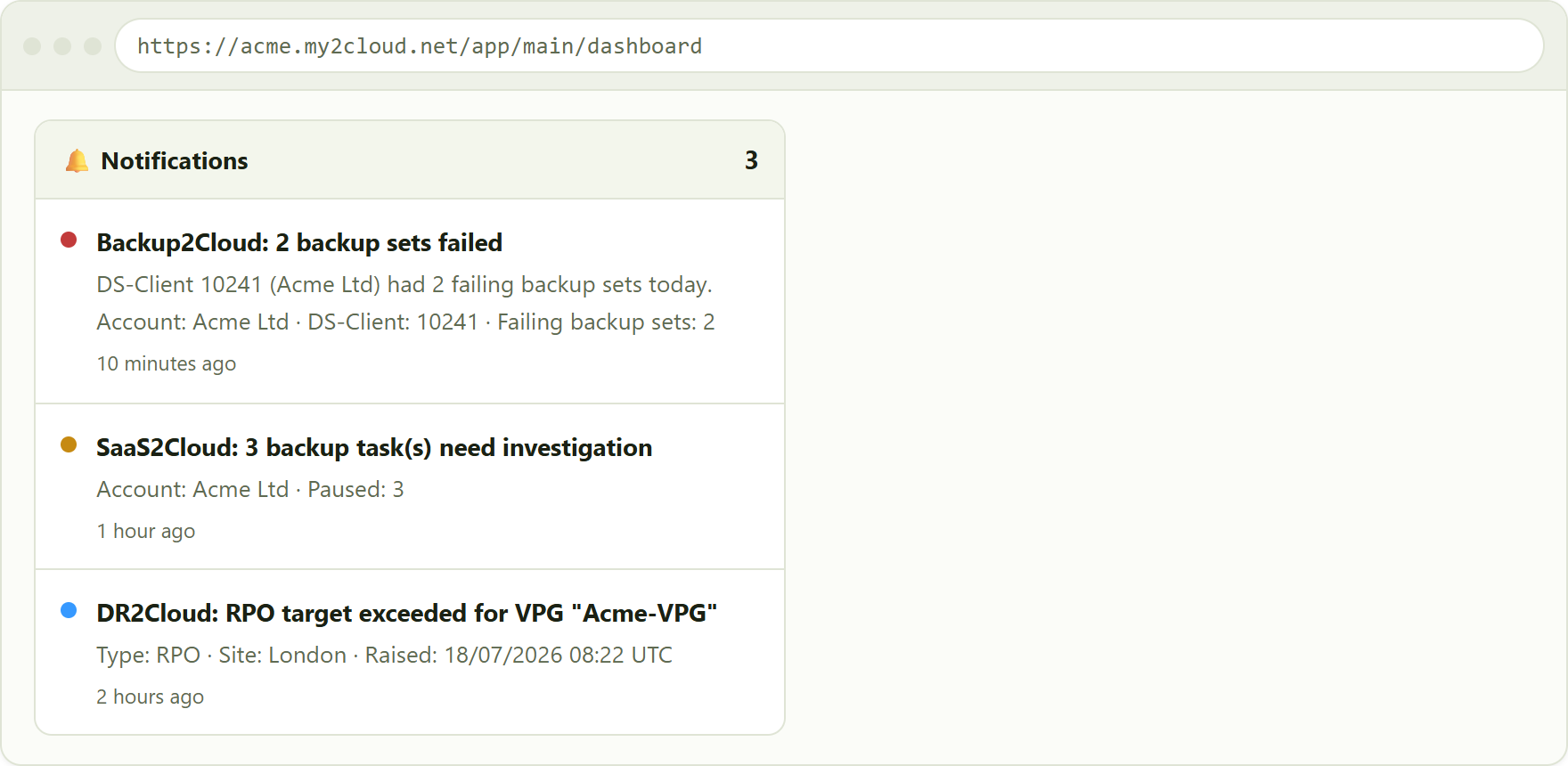
sample alerts in the notification bell (illustrative data). Severity is shown by the coloured dot.
What each service alerts on
Use this table as a quick reference. The examples are illustrative; the exact wording you see for Zerto and Veeam comes straight from those platforms.

reference table of the alerts each service can raise, with typical severity and next steps.
Backup2Cloud (Asigra)
My2Cloud looks at recently completed backups and groups any failures by DS-Client per day. That means a broken DS-Client with dozens of failing sets gives you one tidy alert - "N backup sets failed" - listing up to ten of the affected sets and their result, rather than a flood. If the same DS-Client is still failing the next day, it raises a fresh alert so the issue stays visible.
DR2Cloud (Zerto)
These alerts mirror Zerto's own live monitoring for your protected environment, attributed to the right site and VPG. Because the text is Zerto's, it describes the exact condition (for example an RPO breach or a journal warning) in Zerto's own terms.
SaaS2Cloud (CloudAlly) and Veeam2Cloud (Veeam)
These two raise account-level alerts rather than one per item. SaaS2Cloud sends a single summary per account counting the tasks that need investigation, and re-notifies if that number changes. Veeam2Cloud surfaces the active alarms already raised in Veeam, filtered to warnings and errors so you only see what is actionable.
Alerts are raised once, not repeated
My2Cloud de-duplicates alerts so a single ongoing problem does not fill your inbox. Each distinct issue is notified once; the background check keeps running, but it will not re-send the same alert every time. You are alerted again only when the situation genuinely changes, for example:
- the number of affected items changes (SaaS2Cloud re-notifies when the failed or paused count moves);
- a still-failing backup rolls into a new day (Backup2Cloud raises a fresh daily alert);
- a new, different alarm or alert appears on a service.
When the underlying problem clears, so does the alert: the next check simply finds nothing to report, and a later recurrence will notify you again.
A note on data-collection alerts
Separately from the per-service alerts above, My2Cloud watches its own data collection. If a service's data stops refreshing - because a collection has failed or gone stale - the Assurestor operations team is notified so they can put it right. This is a housekeeping alert aimed at the operators rather than at you; it means the figures for that service may be briefly behind while it is resolved.
Tips
- Deal with Error alerts first - they are the ones most likely to mean a backup or protection run did not complete.
- Turn on "Also email me these notifications" in Notification settings so alerts reach you when you are away from the portal.
- Each alert names the exact account, DS-Client, VPG or object involved - use that to go straight to the right place in the service view.
- If an error alert keeps recurring day after day, raise a support ticket and quote the account and DS-Client (or VPG / object) from the alert.
Was this article helpful?
That’s Great!
Thank you for your feedback
Sorry! We couldn't be helpful
Thank you for your feedback
Feedback sent
We appreciate your effort and will try to fix the article